Understanding Droven.io and Cloud Computing
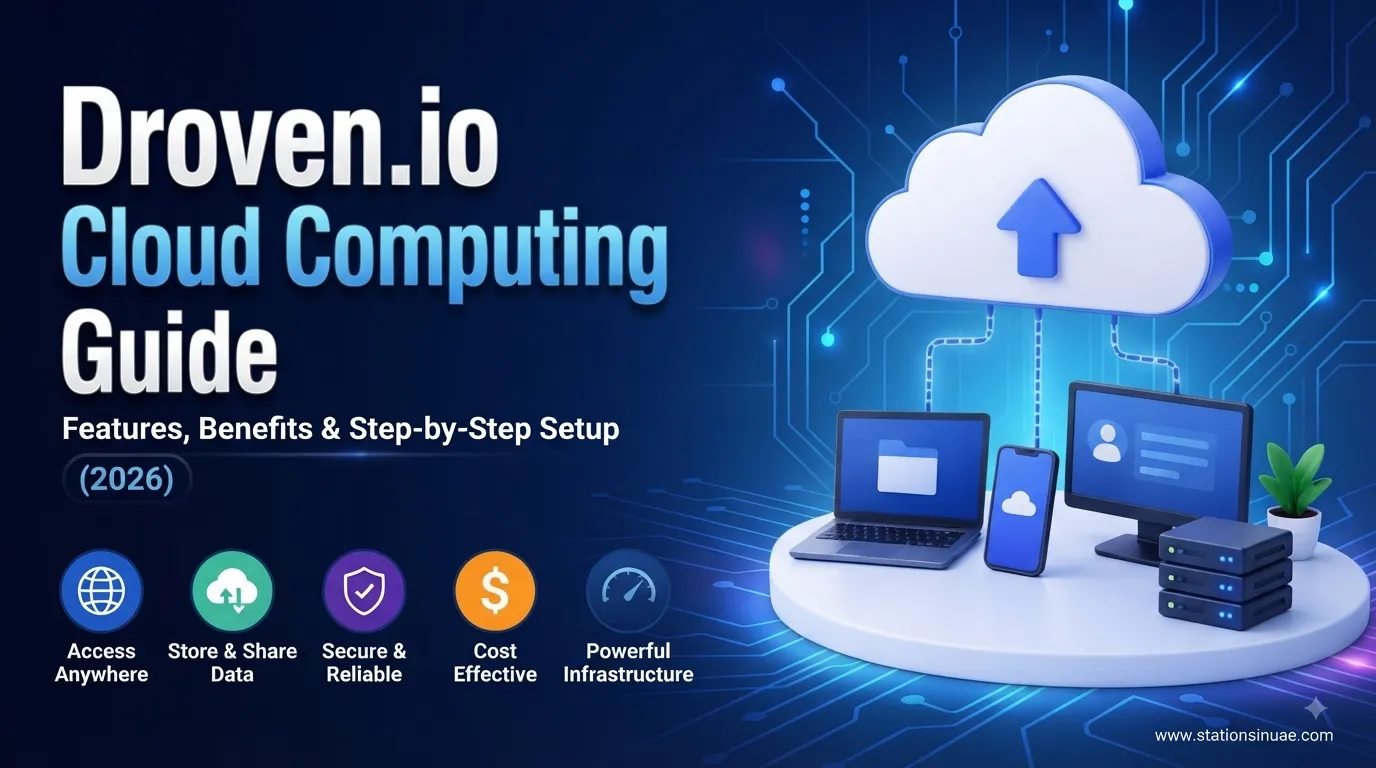
Droven.io is presented as a technology and learning resource focused on cloud computing, DevOps, infrastructure automation, and modern software development. Its material helps readers understand how cloud environments work, how applications can be deployed, and how infrastructure can be secured and optimized.
The broader subject goes beyond simply storing files online. Cloud computing brings together computing resources, storage, networking, security, automation, monitoring, and scalable infrastructure through internet-based environments.
For beginners, the learning path generally starts with basic cloud concepts and progresses toward practical areas such as IAM, Docker, Kubernetes, CI/CD, Infrastructure as Code, monitoring, security, and cost management.
Why Cloud Computing Matters in 2026
Modern applications often experience changing workloads. A website may have normal traffic for most of the day but require substantially more resources during a campaign, product launch, or unexpected traffic spike.
Cloud infrastructure addresses this challenge through flexible resources and elastic scaling.
Some of the major reasons organizations use cloud environments include:
- Faster application deployment
- Flexible resource allocation
- Better scalability
- Self-service infrastructure
- Built-in redundancy
- Global accessibility
- Easier collaboration
- Potential infrastructure-cost savings
Cloud computing is also becoming increasingly important for AI workloads, edge applications, serverless systems, and automated infrastructure management.
Four Cloud Deployment Models
Cloud environments can be organized into 4 primary deployment models.
| Model | Typical Use |
|---|---|
| Public Cloud | Startups, web applications, and variable workloads |
| Private Cloud | Sensitive workloads and organizations requiring greater control |
| Hybrid Cloud | Combining private and public infrastructure |
| Multi-Cloud | Using multiple cloud environments to reduce dependency on one provider |
Public Cloud
Public cloud infrastructure provides computing resources through a shared provider environment. It is commonly associated with startups, websites, and applications that need flexible capacity.
Private Cloud
A private cloud provides a more controlled environment and can be suitable for organizations handling sensitive information or requiring specific infrastructure controls.
Hybrid Cloud
Hybrid cloud combines private and public environments. This can allow sensitive workloads to remain in a controlled environment while other applications use scalable public infrastructure.
Multi-Cloud
Multi-cloud involves using services from multiple cloud environments. Organizations may use this approach to avoid excessive dependence on a single provider or to select different services for different workloads.
Four Cloud Service Models
The material identifies 4 major service models:
| Service Model | Main Idea |
|---|---|
| IaaS | Infrastructure resources such as compute, networking, and storage |
| PaaS | A managed environment for developing and deploying applications |
| SaaS | Complete software delivered through the internet |
| FaaS / Serverless | Running application functions without directly managing traditional servers |
Organizations do not necessarily have to use only one model. Different applications and workloads can use different service levels depending on their requirements.
Key Features Associated With Droven io
The platform-focused material describes 7 important capabilities:
- Infrastructure provisioning
- Automated application deployment
- Elastic resource scaling
- Monitoring and observability
- Security controls
- Backup and disaster recovery
- API and third-party integrations
These capabilities connect infrastructure management with application deployment and ongoing operations.
The educational material also places strong emphasis on related technologies such as Docker, Kubernetes, CI/CD, Infrastructure as Code, IAM, cloud security, and monitoring.
Benefits of a Cloud-Based Environment
A well-designed cloud environment can provide several operational advantages.
| Benefit | Practical Value |
|---|---|
| Lower infrastructure costs | Resources can be adjusted according to demand |
| Faster deployment | Applications can move from development toward staging or production more quickly |
| Better scalability | Capacity can increase or decrease with workload |
| Improved collaboration | Distributed teams can work with shared cloud environments |
| High availability | Redundant infrastructure can help reduce service interruptions |
| Business continuity | Backups and recovery processes support operational resilience |
| Better performance | Resources can be adjusted for application requirements |
| Global accessibility | Cloud applications can be accessed across geographic locations |
The actual result depends on configuration, workload, provider selection, and ongoing resource management.
Droven.io Cloud Environment Setup
A practical setup can be approached through a structured sequence. The most detailed process contains 11 stages.
1. Create an Account
Begin by creating the required cloud account and establishing the initial environment.
2. Create the First Project
Separate applications or workloads into logical projects so resources can be managed more easily.
3. Configure IAM
Identity and Access Management determines who can access resources and what actions they are permitted to perform.
Use the principle of least privilege wherever possible.
4. Configure Networking
Set up the required network structure, access rules, segmentation, and connectivity.
5. Configure Storage
Select suitable storage resources according to application requirements, backup needs, and performance expectations.
6. Deploy Compute Resources
Choose and provision the computing capacity required to run applications and services.
7. Apply Security Policies
Security controls should be applied before exposing applications to users or external traffic.
8. Deploy the Application
Move the application into the configured environment and verify that its components communicate correctly.
9. Enable Monitoring and Logging
Monitoring provides visibility into system behavior, while logs help investigate errors, performance issues, and unusual activity.
10. Create Backup and Recovery Policies
Backups should have clear schedules and recovery procedures rather than simply existing as automated tasks.
11. Test and Optimize
Test application performance, security, recovery procedures, and resource usage before considering the environment ready for regular operation.
A Simpler 10-Step Setup Path
For beginners, the same process can be condensed into 10 practical actions:
- Define goals
- Choose a cloud provider
- Create a cloud account
- Configure IAM
- Configure networking
- Launch compute resources
- Configure storage
- Secure the environment
- Enable monitoring
- Test and optimize
The 10-step version is useful as a quick checklist, while the 11-stage process provides additional detail around project creation, security policies, application deployment, and backup planning.
Security Practices to Put First
Cloud security should be designed into the environment rather than added after deployment.
Important controls include:
- Multi-factor authentication (MFA)
- Least-privilege access
- Encryption at rest
- Encryption in transit
- Network segmentation
- Secure backups
- Continuous monitoring
- Backup integrity testing
- Compliance and data-privacy controls
MFA is highlighted as a relatively quick security improvement, with the setup described as potentially taking about 5 minutes.
The 3-2-1 Backup Rule
A simple backup principle repeated throughout the material is the 3-2-1 rule.
| Number | Requirement |
|---|---|
| 3 | Keep 3 copies of important data |
| 2 | Use 2 different storage types or media |
| 1 | Keep 1 copy offsite |
The important point is that a scheduled backup is not enough by itself. Recovery should also be tested to confirm that the data can actually be restored.
Monitoring and Observability
Monitoring helps teams understand what is happening inside their infrastructure.
Useful areas include:
- Resource utilization
- Application performance
- Availability
- Error rates
- Network activity
- Storage usage
- Security events
- Infrastructure changes
Observability goes further by helping teams understand why a problem occurred instead of only showing that something went wrong.
Technologies such as Kubernetes, Docker, CI/CD pipelines, and Infrastructure as Code can also support more consistent application and infrastructure management.
Managing Cloud Costs
Cloud resources can become expensive when they are left unused or configured above actual requirements.
The material identifies 5 examples of hidden or avoidable costs:
- Idle virtual machines
- Large data transfers
- Premium storage
- Unused snapshots
- Overprovisioned databases
Regular reviews can reduce unnecessary spending.
A practical management routine includes:
- Review resource usage weekly
- Create a billing alert at 50%
- Create another alert at 80%
- Monitor the 100% billing threshold
- Audit storage snapshots quarterly
Cost optimization is not simply about selecting the cheapest resource. It is about matching capacity with actual workload requirements.
A Practical Example of Elastic Scaling
A mid-sized e-commerce scenario illustrates how cloud scaling can respond to changing demand.
During a simulated or actual traffic event, server capacity was doubled. The environment then scaled back down after demand returned to normal.
The important concept is elasticity: resources can increase when demand rises and decrease when the additional capacity is no longer required.
Another cloud-computing example describes a startup achieving a reported 35% infrastructure-cost reduction over 12 months, alongside 99.9%+ availability. The same case study describes deployment and backup-recovery processes moving from hours toward minutes.
These figures are examples presented in the source material rather than universal performance guarantees.
Cloud Providers and Platform Choices
Three major cloud providers discussed in the material are:
| Provider | General Position Described |
|---|---|
| AWS | Broad service range and large market presence |
| Microsoft Azure | Strong integration with Microsoft enterprise environments |
| Google Cloud | Strong emphasis on analytics and machine-learning workloads |
Droven.io is described differently depending on the source material: some descriptions frame it primarily as an educational technology resource, while another presents it as a cloud management platform focused on provisioning, deployment, scaling, monitoring, and simplified infrastructure management.
For readers, the practical distinction is important: cloud providers supply underlying infrastructure and services, while an educational or management layer can help users understand or operate that infrastructure.
Pricing Approaches
Two major cloud pricing structures highlighted are:
- Pay-as-you-go
- Reserved pricing
Pay-as-you-go allows resources to be billed according to usage.
Reserved pricing can involve longer commitments, with examples of 1-year or 3-year periods being associated with discounted rates.
The appropriate model depends on how predictable the workload is and how long the organization expects to use the resources.
Common Cloud Mistakes
First-time users can create avoidable problems when infrastructure is deployed without a management plan.
The material identifies several recurring mistakes:
- Overprovisioning resources
- Skipping cost alerts
- Using weak access controls
- Failing to test backups
- Poor documentation
- Ignoring security
- Choosing an unsuitable service model
- Failing to monitor performance
- Poor backup planning
Documentation is particularly useful when several developers or IT professionals share responsibility for the environment.
Common Cloud Security Risks
Five major security risks are highlighted:
- Weak access controls
- Misconfigured resources
- Data exposure
- Ransomware
- Insider threats
These risks demonstrate why IAM, MFA, encryption, network segmentation, monitoring, and secure backups need to work together rather than being treated as separate tasks.
Cloud Computing Use Cases
Cloud infrastructure supports a wide range of applications.
The material covers these major use cases:
| Use Case | Cloud Value |
|---|---|
| Small businesses | Flexible infrastructure without large upfront hardware requirements |
| SaaS platforms | Scalable application hosting |
| E-commerce | Capacity adjustment during traffic changes |
| Healthcare | Infrastructure for sensitive and regulated workloads |
| Education | Online learning and shared digital services |
| Financial services | Controlled infrastructure for demanding workloads |
| AI and machine learning | Access to substantial computing capacity |
| Development and testing | Flexible environments for application teams |
| Enterprise applications | Scalable infrastructure across larger organizations |
AI is a particularly demanding workload. The material notes that modern AI model training can require thousands of GPUs, which helps explain why cloud-based access can be attractive compared with purchasing all required infrastructure outright.
2026 Cloud Computing Trends
Cloud technology continues to evolve around automation, distributed computing, security, and efficiency.
The material identifies 8 important trends:
- AI-powered cloud operations and AIOps
- Edge computing
- Serverless computing
- Kubernetes
- Zero-trust security
- Sustainable and green cloud infrastructure
- Autonomous resource optimization
- Multi-cloud adoption
AI-Powered Operations
AI can assist with infrastructure monitoring, anomaly detection, resource management, and operational decision-making.
Edge Computing
Edge computing moves processing closer to users or connected devices, which can help applications where latency is important.
Serverless Computing
Serverless architectures allow developers to focus on application functions without managing traditional server infrastructure directly.
Kubernetes
Kubernetes provides container orchestration capabilities and is particularly relevant for managing containerized applications at scale.
Zero-Trust Security
Zero-trust security emphasizes continuous verification and controlled access instead of automatically trusting users or devices inside a network.
Green Infrastructure
Energy efficiency and data-center sustainability are becoming increasingly important as cloud infrastructure expands.
Autonomous Resource Optimization
Automated systems can help identify inefficient resource usage and adjust infrastructure according to workload requirements.
Multi-Cloud Adoption
Organizations may combine multiple cloud environments to meet different technical, operational, or business requirements.
Quick Numbers at a Glance
| Metric | Figure |
|---|---|
| Main cloud deployment models | 4 |
| Main cloud service models | 4 |
| Detailed setup stages | 11 |
| Simplified setup stages | 10 |
| Core platform capabilities highlighted | 7 |
| Principal benefits highlighted | 8 |
| Major security risks | 5 |
| Hidden-cost examples | 5 |
| Main use-case categories | 9 |
| Backup copies | 3 |
| Storage types/media in backup rule | 2 |
| Offsite backup copies | 1 |
| MFA setup example | About 5 minutes |
| Reserved pricing examples | 1 or 3 years |
| Startup cost reduction example | 35% |
| Case-study period | 12 months |
| Case-study availability | 99.9%+ |
| Large AI training requirement | Thousands of GPUs |
| Billing alert levels | 50%, 80%, 100% |
| Snapshot audit frequency | Quarterly |
| Weekly resource review | 1 time per week |
Frequently Asked Questions
Is Droven.io a cloud provider?
The supplied material presents different descriptions. Several sources describe Droven.io primarily as an educational technology resource, while another describes it as a cloud management platform. The common theme is cloud computing, deployment, automation, and infrastructure management.
What are the 4 cloud deployment models?
The 4 models are public cloud, private cloud, hybrid cloud, and multi-cloud.
What are the 4 main cloud service models?
They are IaaS, PaaS, SaaS, and FaaS/serverless.
What is the 3-2-1 backup rule?
It means maintaining 3 copies of data, using 2 different storage types or media, and keeping 1 copy offsite.
How many steps are involved in the detailed setup?
The most detailed setup contains 11 stages, beginning with account creation and ending with testing and performance optimization.
What are the main cloud security controls?
Important controls include MFA, least privilege, encryption at rest, encryption in transit, network segmentation, secure backups, and continuous monitoring.
How can cloud costs be controlled?
Review resource usage weekly, configure billing alerts at 50%, 80%, and 100%, and audit storage snapshots quarterly. Also look for idle VMs, unnecessary transfers, premium storage, unused snapshots, and oversized databases.
What technologies are closely connected with cloud computing?
Important technologies and concepts include Docker, Kubernetes, CI/CD, Infrastructure as Code, IAM, monitoring and observability, serverless computing, edge computing, and AIOps.
Final Takeaway
Droven.io-related cloud computing material covers a broad journey from basic concepts to practical infrastructure management. The core areas include 4 deployment models, 4 service models, infrastructure provisioning, application deployment, scaling, monitoring, security, backups, and cost optimization.
For someone building a cloud environment, the most useful principles are straightforward: define the workload, choose the appropriate infrastructure model, control access, monitor resources, maintain tested backups, watch costs, and optimize continuously.
As cloud computing develops through 2026, AI operations, edge computing, serverless architectures, Kubernetes, zero-trust security, sustainable infrastructure, autonomous optimization, and multi-cloud environments are becoming increasingly important parts of modern cloud strategy.